
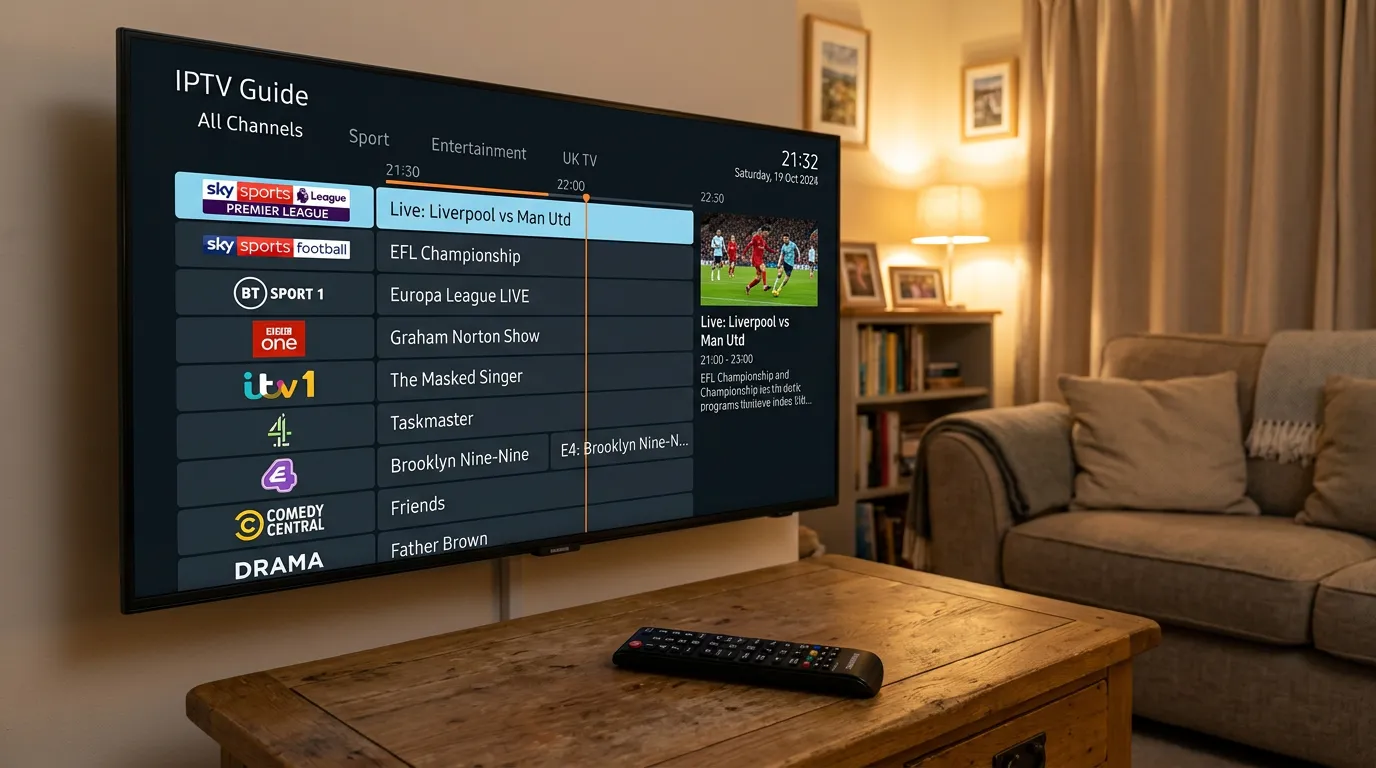
Samsung is the most popular smart TV brand in British homes. If you own one, you are sitting on a ready-made IPTV machine and probably do not even realise it. No Firestick needed. No extra box. Just your Samsung TV, your broadband, and about three minutes of your time.
This guide covers exactly how to get IPTV running on your Samsung TV in the UK, which apps work, which do not, and how to avoid the most common mistakes people make during setup.
Does IPTV Work on Samsung TV?
Yes. Samsung smart TVs manufactured from about 2017 onwards run Tizen OS, which supports IPTV apps through the Samsung App Store. Older Samsung smart TVs running the previous Orsay operating system have more limited app availability, but there are still workarounds.
The key thing to understand is that Samsung TVs do not natively play IPTV playlists. You need an app to act as the player — the app reads your subscription credentials and loads the channel list onto your screen. The two best options are Smart IPTV and IPTV Smarters Pro.
How to Install IPTV on Samsung TV Step by Step
Using Smart IPTV
Open the Samsung App Store on your TV and search for Smart IPTV. Download and install it. When you first open the app, it will display your TV’s MAC address on screen — write this down or take a photo.
Now go to a computer or phone and visit the Smart IPTV website. Enter your MAC address and your M3U playlist URL from your IPTV provider. Save the settings. Go back to your TV, restart the Smart IPTV app, and your full channel list will load automatically.
Smart IPTV charges a one-off activation fee of about five pounds after a short trial period. This goes to the app developers, not your IPTV provider. It is a separate payment and it is permanent — you only pay once.
Using IPTV Smarters Pro
Search for IPTV Smarters Pro in the Samsung App Store. Download it. Open it and select the Xtream Codes login option. Enter the username, password, and server URL that your IPTV provider gave you when you subscribed.
Hit connect. Your channels, EPG, and video-on-demand library will load within a minute. Smarters is free to use and works well on Samsung Tizen TVs from 2018 onwards.
What If Smart IPTV Is Not in the Samsung App Store?
Samsung occasionally removes or hides IPTV apps from its store. If you cannot find Smart IPTV, try IPTV Smarters first — it is more consistently available. If neither appears, you have two options.
First, try searching from the Samsung App Store on a computer through your Samsung account, then push the install to your TV remotely. Sometimes apps that are hidden on the TV store still appear on the web version.
Second, if your Samsung TV truly cannot access any IPTV apps, a Firestick 4K plugged into the HDMI port solves the problem immediately and costs about thirty-five pounds. It is not ideal, but it works every time. Our IPTV for Firestick guide covers that setup in full.
Getting the Best Picture Quality on Samsung TV
Samsung TVs have excellent displays, so it makes sense to squeeze every bit of quality out of your IPTV stream.
Start by using an ethernet cable instead of WiFi. Samsung smart TVs have a LAN port on the back — plug it in. This alone eliminates most buffering issues and gives you a more stable stream, especially during live sport.
In your Samsung TV picture settings, make sure the picture mode is set to Movie or Filmmaker Mode for the most accurate colours. Avoid Vivid mode — it looks punchy in the shop but introduces processing lag that can cause audio sync issues with IPTV.
If your broadband supports it, select HD or 4K channels in your IPTV app. The difference on a Samsung QLED or Crystal UHD panel is night and day compared to standard definition. You can check your broadband speed at Speedtest.net — aim for at least twenty-five megabits per second for 4K.
Choosing an IPTV Service That Works Properly on Samsung
Not every IPTV service plays nicely with Samsung TVs. Some providers send playlists that are formatted for Android only. Others have EPG data that does not load correctly on Tizen-based apps. The result is missing channels, blank programme guides, or streams that refuse to start.
Before you subscribe to anything, check that the provider explicitly supports Samsung smart TVs. Ask them before you pay — not after.
Among UK viewers, Golden TV has a strong reputation for Samsung compatibility. Their playlists load cleanly on both Smart IPTV and Smarters, the EPG populates correctly, and the stream quality holds steady on Samsung panels. If you are specifically setting up a Samsung TV with IPTV, they are a solid starting point. Drop them a message on WhatsApp to ask about a trial.

Common Samsung IPTV Problems and How to Fix Them
Channels not loading: Close the app completely, then reopen it. If channels still do not appear, go to the Smart IPTV website and re-upload your playlist URL. Sometimes the link expires and needs refreshing.
EPG showing blank: Your provider’s EPG URL might not be loaded. In Smarters, go to Settings and check that the EPG source is active. In Smart IPTV, the EPG loads from the playlist — contact your provider if it remains blank.
App crashing or freezing: Clear the app cache in Samsung Settings > Apps > Smart IPTV > Clear Cache. If it persists, uninstall and reinstall the app.
Buffering during live sport: Switch to ethernet, close other devices using your broadband, and check your speed. If your internet is fine and it still buffers, the provider’s servers are overloaded — which means it is time to switch providers. See our IPTV buffering fix guide for the full troubleshooting checklist.
Frequently Asked Questions
Can I install IPTV on Samsung TV without a Firestick?
Yes. Samsung smart TVs from 2017 onwards support IPTV apps directly through the Samsung App Store. A Firestick is only needed if your TV is too old to run modern apps.
Is Smart IPTV free on Samsung?
Smart IPTV offers a short free trial. After that, it costs a one-off activation fee of about five pounds. This is a permanent unlock — you never pay again for the app itself.
Which is better for Samsung — Smart IPTV or IPTV Smarters?
Smart IPTV is simpler and faster for basic viewing. IPTV Smarters has more features including multi-profile support, a better EPG layout, and VOD browsing. If you just want to watch live channels, Smart IPTV is fine. If you want the full experience, go with Smarters.
Does IPTV void my Samsung TV warranty?
No. Installing apps from the official Samsung App Store does not affect your warranty in any way.
Can I record IPTV on Samsung TV?
Most IPTV apps on Samsung do not support direct recording. However, some services offer catch-up TV which lets you watch programmes from the past seven days. If recording is essential, using a Firestick with TiviMate is a better option as it supports recording to external storage.
How many IPTV connections can I use on Samsung TVs?
This depends on your IPTV subscription plan, not the TV. Most providers offer plans with one, two, or more simultaneous connections. Check with your provider to see how many devices can stream at once.
Wrapping Up
Samsung smart TVs are genuinely one of the easiest devices to get IPTV running on in the UK. The app store is right there, the setup takes minutes, and the picture quality on Samsung panels is excellent for live streaming.
The only thing that can let you down is a bad IPTV service behind the app. Pick a provider that explicitly supports Samsung, test it with a trial first, and plug in that ethernet cable. Do those three things and you will wonder why you ever bothered with Sky.
For a full comparison of the best IPTV services available in the UK right now, check our best IPTV providers UK guide and our IPTV subscription UK breakdown.
This website is for informational purposes only. We may recommend third-party services based on user feedback and testing. All trademarks belong to their respective owners.